




For five years, the virtual desktop conversation has had a quiet, awkward guest: the estate that cannot move.
Every organisation I have worked with over that period has some version of it. The regulated workload that must stay in country, in building, on hardware someone can point at. The application that falls over if it sits more than a few milliseconds from its data. The datacentre refreshed in 2023, depreciating gently on the books while everyone talks about cloud. And, more recently, the third party VDI platform whose renewal quote arrived with a number nobody was expecting, at a time when the industry around it has been in upheaval.
The cloud pitch never had a good answer for these people. The honest advice was often “not yet”, and “not yet” is a miserable strategy. Azure Virtual Desktop Hybrid, generally available now, is the first answer I have liked.
What changed
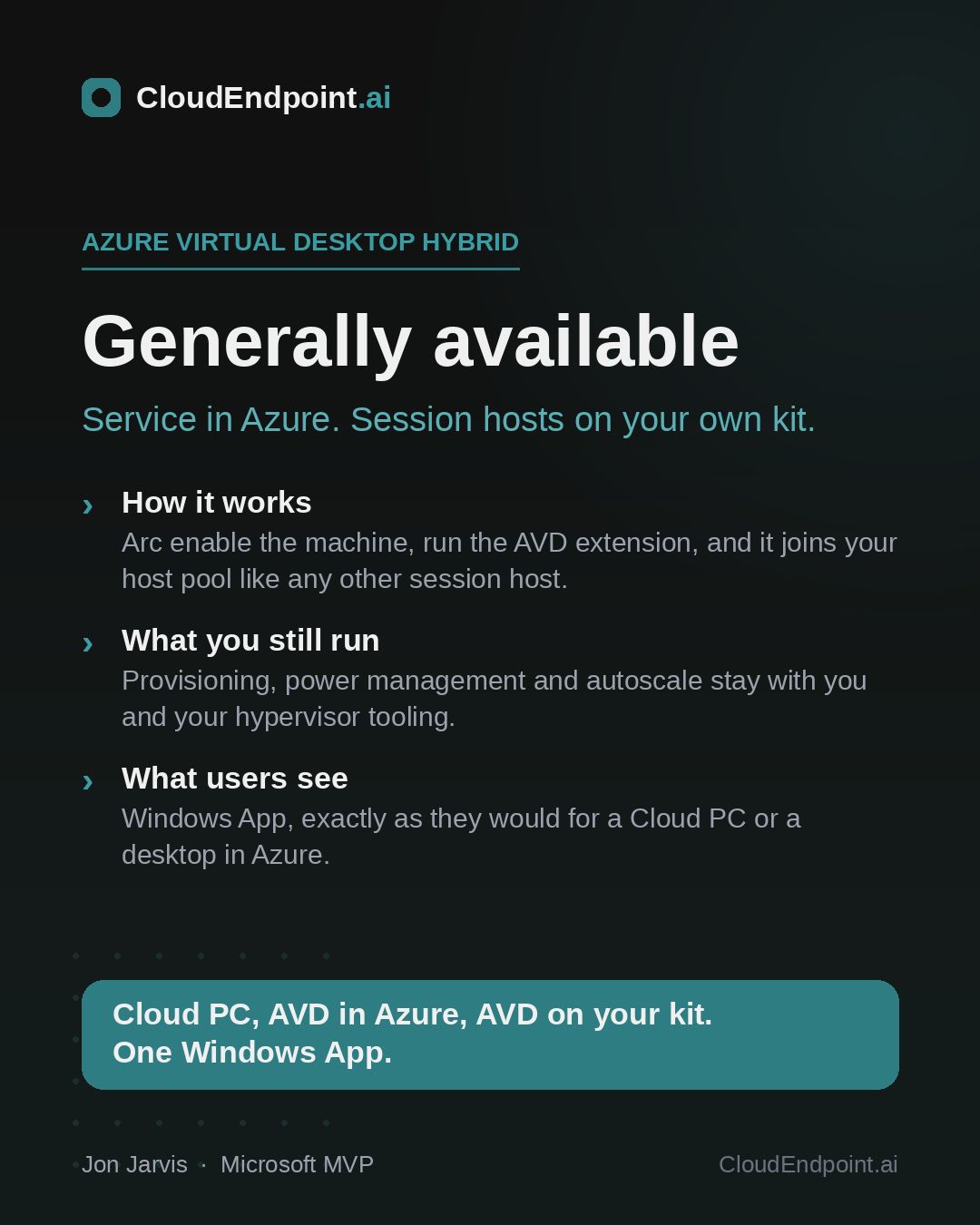
Azure Virtual Desktop has always had two halves: the control plane, which is the brokering, gateway, management and policy machinery Microsoft runs in Azure, and the session hosts, the machines your users’ desktops run on, which until now also had to live in Azure. AVD Hybrid separates the two. The control plane stays in the cloud. The session hosts can now be virtual machines in your own datacentre, connected to Azure through Azure Arc and enrolled into a host pool like any other session host. Nutanix AHV is the platform at launch, with more hypervisors to follow, so for some estates this is a today conversation and for others a roadmap one.
Is this Microsoft admitting the cloud pitch failed?
It is the obvious sceptical question, so let me take it head on.
I read AVD Hybrid as an on-ramp, not a retreat. A bridge, if you will. Microsoft is not telling anyone to stay on premises; it is meeting organisations where they are, letting them get used to AVD, its management model, its client, its identity and security stack, on the infrastructure they already own. Then, when the hardware ages out, or the compliance position shifts, or the renewal maths finally tips, the journey to cloud AVD or Windows 365 is not a migration between worlds. It is moving host pools within a platform you already run.
Look at the value concentration and the logic is plain. The part of VDI that hurts, brokering, gateways, availability, management tooling, patching the plumbing, is exactly the part Microsoft now runs for you, wherever your desktops live. The part you keep, the hypervisor and the tin, is the part your team already knows how to run. That division of labour was always the real product. Where the session host sits was always the negotiable bit, and Microsoft has finally negotiated.
There is a wider pattern here too. Windows App now fronts cloud desktops, on premises desktops, and Cloud PCs alike; one client, one control plane family, many places for the work to actually run. The platform is converging on a simple idea: you choose where compute lives, and the management model stops caring.
What we learnt in the lab, and what to watch
We have been running the AVD Hybrid preview in our lab at Advania on existing infrastructure since the public preview opened, and two honest cautions belong in any celebration of GA.
First: you run the tin. AVD Hybrid deliberately does not manage your virtual machine state, which means no autoscale, no power management, no Start VM on Connect. Those conveniences exist in cloud AVD because Azure controls the hypervisor; on your infrastructure, that discipline stays with your team and your tooling. If your VDI estate is tidy today, this changes little. If part of your cloud motivation was escaping infrastructure operations, be honest with yourself: hybrid keeps you in that business for as long as you stay on it. That is the price of the bridge.
Second: the licensing question has now landed. User entitlement is mostly a non-event, because Windows 11 Enterprise session hosts are covered by licences like Microsoft 365 E3 and E5 that most organisations already hold. The new part is the service licence at $10 per user per month. I think that is fair, and I think the shape of it matters more than the number: it is priced per user, not per host, so it scales with your seat count rather than punishing you for how you have laid out your infrastructure. Put it beside what a legacy VDI control plane costs per user, before you count the renewal increases everyone has been absorbing, and the comparison is not close. Anyone building a business case should also note that Windows 11 multi-session was not supported during the preview, which changes the density economics compared with cloud AVD, where multi-session does the heavy lifting on cost per user.
The part Microsoft doesn’t manage
Here is where I think most AVD Hybrid projects will quietly succeed or struggle, and it follows directly from that first caution.
Microsoft supports the service. What Microsoft explicitly does not do is manage your machines. No provisioning, no power management, no autoscale, no session host configuration on your infrastructure. Its own documentation is refreshingly blunt about it and points you at hypervisor tools, scripts, or partner solutions to fill the gap.
So the honest question for anyone adopting this is not, “can I run AVD on my own kit”, it is “what is going to create, patch, scale and switch off those machines every day”. If the answer is a set of scripts somebody wrote and only one person understands, you have swapped a licensing problem for an operational one. That is not a hypothetical: it is the most common way good VDI estates go bad.
Which is why, for most organisations, I think reaching for a management layer here is close to a no brainer rather than a nice to have, and why Nerdio is the obvious one to look at. Nerdio Manager has been the operational engine on top of AVD and Windows 365 for years, and Nerdio Manager for Enterprise 8.2, shipping this month, adds Azure Virtual Desktop Hybrid support for Nutanix AHV: creating, deploying and updating images for hybrid session hosts, automating repeatable provisioning and image workflows, monitoring the whole Windows cloud estate from one console, and reporting on utilisation and cost across it. That its Nutanix support lands alongside Microsoft leading with Nutanix at GA is not a coincidence worth ignoring.
Put plainly: Microsoft gives you the connectivity and the control plane, and something still has to be the operations layer underneath. You can build that yourself, and some mature teams should. But if part of the appeal of AVD Hybrid was spending less time running desktop infrastructure, buying the automation is usually cheaper than rebuilding it, and considerably cheaper than the outage you get when the one person who understood the scripts is on holiday.
Who should walk the bridge first
If I were prioritising, two groups should be evaluating AVD Hybrid this quarter.
The first is anyone with a third party VDI renewal inside the next eighteen months. For the first time, “keep the hardware, replace the platform” is a real Microsoft option, and it reframes every renewal negotiation even if you ultimately stay put.
The second is the genuinely anchored: sovereignty, latency, regulation, sunk investment. You were never the audience for “just move it all”. You are precisely the audience for a cloud managed service that respects where your workloads have to live, and quietly builds the skills, identity model and management estate that make an eventual move ordinary rather than heroic.
Start the same way in either case. Inventory what you actually run and why it is where it is. Check the licences you already hold, because more of the entitlement is covered than most people expect. Decide who or what is going to run the machines day to day before you need the answer. And if you are on Nutanix, stand up a pilot host pool on existing kit now, which is a refreshingly small project given the infrastructure already exists. If you are on vSphere or Hyper-V, do the assessment anyway: the platform support is coming, and the estate work you do now is the same work either way.
Five years ago, the industry drew a line between the datacentre and the cloud and told everyone to pick a side. The interesting thing about Azure Virtual Desktop Hybrid is that it stops asking the question. The desktops can live where they must. The management lives where it should. And the road between the two is finally paved.
If you are working out where your estate sits on that road, whether that is a renewal decision, a compliance constraint, or a datacentre you are not ready to leave, the right first step is an assessment, and it is a conversation we have every week at Advania. We map your estate and the reasons it lives where it does, review renewal dates and the licences you already hold, and separate what could move now from what should stay. Then, because the infrastructure already exists, we prove it rather than debate it: a scoped proof of value host pool on your own kit, a real user group, and success criteria agreed before we start. A few weeks later you are making the decision with evidence instead of estimates.
Get in touch.